Count calories with a photo
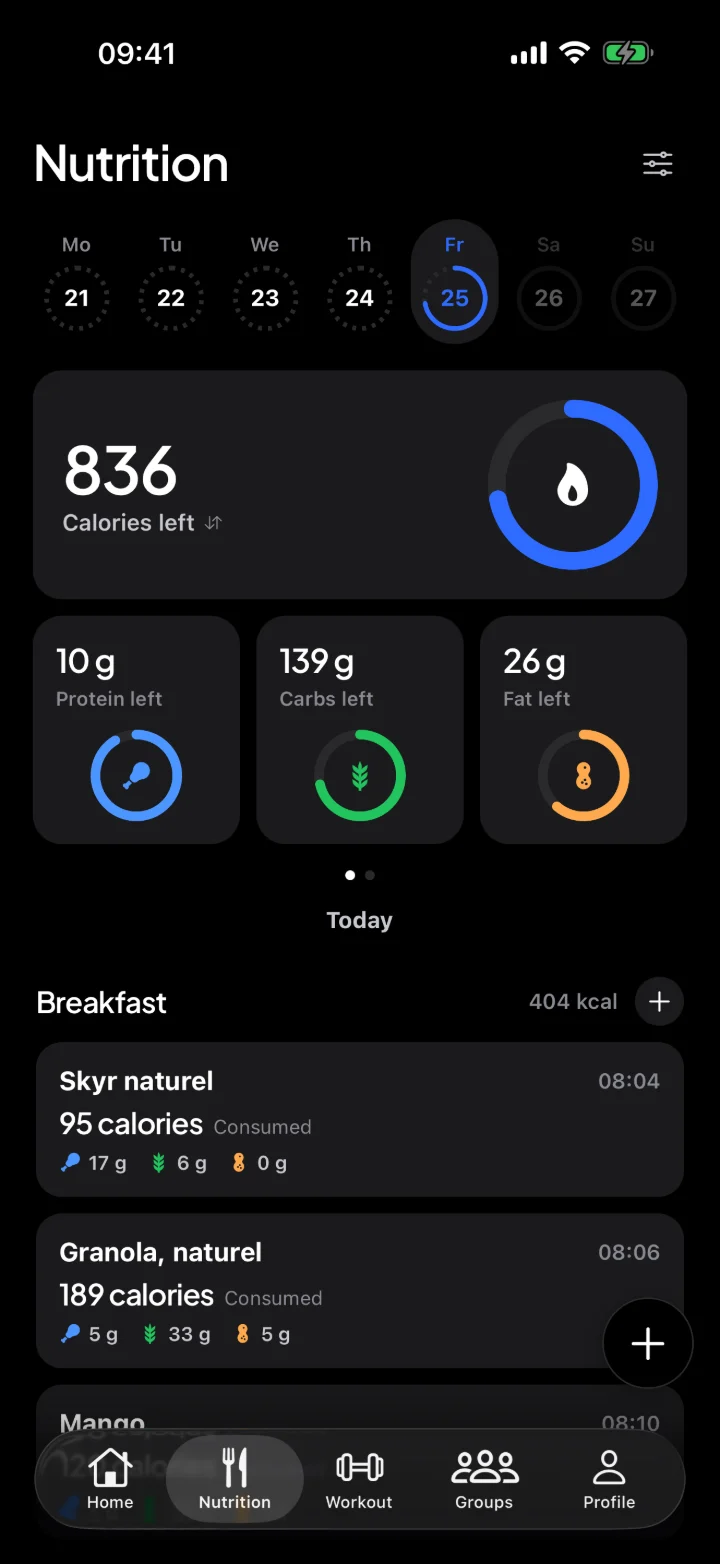
Snap a photo of your meal and Fuse estimates what is on it: every item separately, with grams, calories, protein, carbs and fat. If a portion is not quite right, you adjust the grams. That way you log a meal in seconds, without looking everything up.

Free for iPhone. Android coming soon.
Scan with your iPhone
How it works
- Step 1
Take a photo
Of your plate, or pick one from your gallery.
- Step 2
Check the estimate
The AI lists each item separately, with grams, calories and macros. Adjust the grams where needed.
- Step 3
Add it all
One tap and your meal is in your day.
A photo, a barcode or a quick search.
Pick whatever is quickest for each meal. Everything counts toward today's calories and macros.
- Snap a photo, the AI recognizes your meal
- Scan the barcode on a package
- Over 1,700 Dutch foods, even offline
- Your calorie goal adjusts every week
Free for iPhone. Android coming soon.
Scan with your iPhone
How accurate is counting calories from a photo?
A photo is an estimate. The AI sees what is on your plate well, but how much it is stays tricky: a photo has no depth, and oil, butter or sauce in your food is not always visible. That is why Fuse shows each item separately with its grams, so you can quickly see whether a portion is right and adjust it.
For packaged food, the barcode is more accurate: then the values come from the label. For a plate of food you made yourself, a photo with a quick check is often the fastest.
Tips for a good photo
- Shoot from slightly above, so everything on your plate is visible.
- Make sure there is enough light; daylight works best.
- Spread items out a little instead of piling them up.
- Check the grams, especially for pasta, rice, nuts and sauces: that is where the biggest differences are.
Everything in one place
Fuse is more than a calorie counter. You also log your workouts and your runs in it, and you take on your friends every week. So one app shows what you eat and what you do.